30 Stone Texture Photoshop Brushes
Adding realistic depth and grit to digital designs often requires more than just flat colors or simple gradients. Whether you are designing a rugged logo, creating atmospheric game assets, or enhancing a photograph with organic details, texture is the key element that bridges the gap between the digital and the physical world. This is where a specialized collection like 30 Stone Texture Photoshop Brushes becomes an invaluable asset for creators of all skill levels.
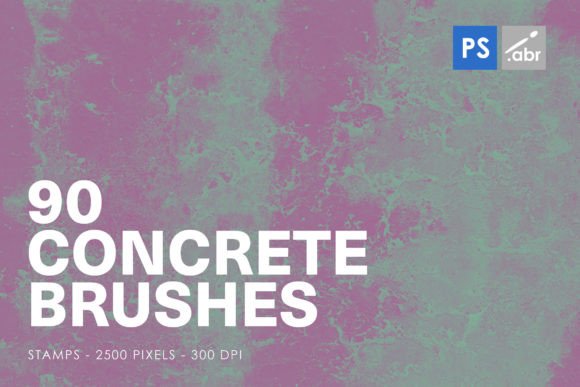
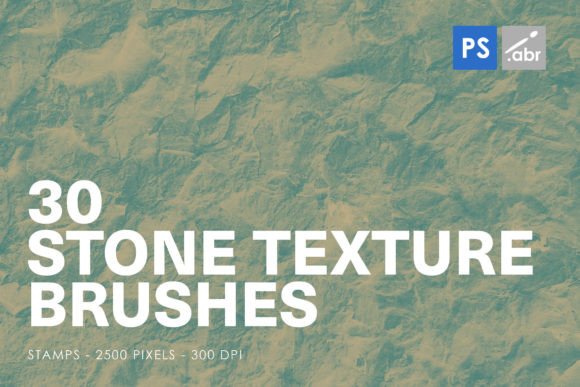
These tools are not merely decorative stamps; they are high-resolution resources designed to integrate seamlessly into your workflow. Compatible with Photoshop CS2 through CC and all modern versions, this set includes 30 distinct stamp brushes, each rendered at a substantial 2500 pixels in size. This high resolution ensures that whether you are working on a small web banner or a large-format print, the details remain crisp, avoiding the pixelation that often plagues lower-quality brush sets.
Why High-Resolution Stone Textures Matter
In digital art and design, the difference between a good project and a great one often lies in the subtleties. Stone textures provide a sense of weight, age, and permanence. When you use STONE TEXTURE PHOTOSHOP STAMP BRUSHES FOR PHOTOSHOP CS2 – CC All versions, you are importing complex visual data that would otherwise take hours to paint by hand or photograph yourself.
The primary value of this specific collection lies in its versatility and ease of use. Because these are stamp brushes, they function similarly to placing a sticker or a stencil. You click, and the texture appears. This is particularly helpful for beginners who may struggle with manual painting techniques, but it is equally useful for professionals who need to speed up their workflow. The 2500-pixel size is a critical feature. Many free or low-cost brush packs offer low-resolution images that look muddy when scaled up. With these high-resolution images, you can scale, rotate, and manipulate the textures without losing clarity, making them a reliable addition to any professional toolkit.
Practical Applications for Creators and Businesses
The utility of these brushes extends far beyond simple background creation. Here is how different users can leverage this pack to solve common design problems:
- Digital Photo Manipulation: Photographers and retouchers can use these stone overlays to add weathering effects to portraits or architectural shots. For instance, adding a subtle granite texture to a concrete wall in a cityscape photo can enhance the mood and realism of the image.
- Graphic Design and Branding: For entrepreneurs and small business owners, creating a brand identity that feels "established" or "rugged" is easier with stone elements. You can use the brushes to create textured backgrounds for business cards, flyers, or social media posts that need to stand out from clean, minimalist competitors.
- Game Development and Concept Art: Visual effects artists and game designers can use these textures as base layers for environment design. Whether you are building a dungeon wall, a rocky pathway, or ancient ruins, these stamps provide a quick starting point that can be further customized with lighting and color adjustments.
- Typography and Text Effects: One of the most creative uses is applying stone textures to text. By using clipping masks in Photoshop, you can fill bold headlines with these stone patterns, giving your typography a chiseled, monumental appearance. This is effective for movie posters, event titles, or impactful web headers.
How to Get the Best Results
While using stamp brushes is straightforward, achieving a natural look requires a few practical techniques. Since these are high-resolution images, they come with detailed light and shadow information. To make them blend seamlessly into your project, consider the following steps:
- Adjust Blend Modes: Rarely will a stone texture look right on the "Normal" blend mode. Experiment with modes like Multiply to darken underlying layers, Overlay to boost contrast, or Soft Light for a subtle integration. This allows the texture to interact with the colors beneath it rather than sitting on top like a flat image.
- Use Layer Masks: Never erase parts of your texture directly. Instead, add a layer mask and paint with black to hide areas where the stone effect is too strong or unwanted. This non-destructive method allows you to refine the edges and ensure the texture follows the contours of your subject.
- Color Correction: Stone comes in many hues, from cool grays to warm sandstones. Use adjustment layers like Hue/Saturation or Color Balance to match the tone of the brush stroke to your overall composition. This ensures consistency across your design.
- Vary Opacity: Not every stamp needs to be at 100% opacity. Lowering the opacity can create a ghostly, worn-away effect that looks more natural, especially when simulating age or erosion.
Considerations Before You Start
Before diving into your next project with these 30 Stone Texture Photoshop Brushes, it is wise to consider the context of your work. While these brushes are powerful, they are not a one-size-fits-all solution for every design challenge. If you are aiming for a sleek, futuristic, or corporate clean aesthetic, heavy stone textures might clash with your visual goals. However, for projects requiring organic, industrial, or historical vibes, they are ideal.
Additionally, keep file size in mind. Because these are high-resolution assets (2500 pixels), using many of them in a single document can increase your Photoshop file size significantly. It is good practice to rasterize or merge layers once you are satisfied with a texture's placement to keep your workspace manageable. Also, ensure your version of Photoshop is compatible. While the pack supports CS2 through CC, users on very old versions should check their brush engine capabilities, though standard stamp brushes generally have wide compatibility.
For educators and hobbyists, this pack serves as an excellent teaching tool. It demonstrates how texture influences perception. Students can experiment with the same layout using different stone stamps to see how the mood shifts from aggressive and rough to calm and smooth. This hands-on exploration helps build an intuitive understanding of visual weight and materiality.
Enhancing Your Creative Workflow
Ultimately, the goal of any digital asset is to save time while improving quality. These stone texture brushes achieve both. They eliminate the need for sourcing stock photos, cutting them out, and adjusting perspectives manually. With a single click, you have a complex, high-fidelity texture ready for customization. This efficiency allows marketers, bloggers, and freelancers to produce higher volumes of content without sacrificing visual appeal.
Whether you are creating a YouTube thumbnail that needs to pop, designing a website header with a rustic feel, or composing a digital painting, having a reliable set of stone textures in your library is a strategic advantage. They provide the raw material for creativity, allowing you to focus on composition and storytelling rather than getting bogged down in technical details. By integrating these tools into your regular workflow, you expand your creative vocabulary, enabling you to communicate ideas with greater depth and authenticity.