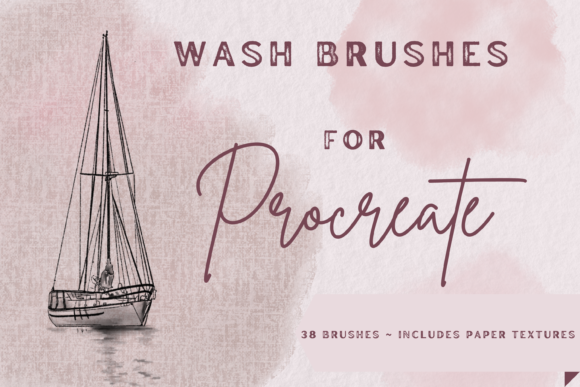
Procreate Wash Brushes X 38: A Creative Toolkit
Digital art has evolved rapidly, moving from simple vector lines to complex, textured compositions that mimic traditional media with startling accuracy. For artists, designers, and hobbyists using the iPad, the search for tools that bridge the gap between digital efficiency and organic feel is constant. This is where specialized toolsets like Procreate Wash Brushes X 38 become invaluable. These are not merely standard digital stamps; they are carefully crafted instruments designed to replicate the unpredictable, fluid nature of watercolor and ink washes.
The appeal of this specific collection lies in its versatility and depth. Comprising 38 unique individual digital brushes, this pack offers a comprehensive suite for creating realistic and beautiful painterly effects. Whether you are a professional illustrator looking to speed up your workflow or a DIY enthusiast creating handmade-style greeting cards, understanding how to leverage these multi-tonal and textured brushes can significantly elevate the quality of your output.
Bridging the Gap Between Digital and Traditional
One of the most significant challenges in digital painting is avoiding the "perfect" look that often makes computer-generated art feel sterile. Traditional watercolors are beloved for their spontaneity—the way pigment pools, dries, and interacts with paper texture. Procreate Wash Brushes X 38 addresses this by embedding those natural irregularities into the brush engine.
Each brush in this set is designed to be resized and recolored to your liking, offering immense flexibility. This means you are not locked into a single aesthetic. You can create soft, ethereal backgrounds for wedding invitations or bold, textured strokes for modern wall art. The multi-tonal nature of these brushes ensures that every stroke contains variation, mimicking the way real paint deposits pigment unevenly on paper. For creators who want their digital work to feel tactile and human, this level of detail is crucial.
Practical Applications for Creators and Entrepreneurs
The utility of these instant download hand-drawn created digital brushes extends far beyond fine art. They are perfect for DIY projects, whether this be for continued digital crafting or for printed goods. In today’s market, there is a high demand for products that feel artisanal and unique. Here is how different users can integrate this brush pack into their workflows:
- Greeting Cards and Invitations: Stationery designers can use these washes to create soft, romantic backgrounds that do not overpower text. The textured edges provide a frame-like quality that adds elegance without requiring complex layout skills.
- Print on Demand Products: Entrepreneurs selling items like tote bags, mugs, or phone cases can use these brushes to create exclusive designs. Because the brushes are digital, you can experiment with countless color combinations quickly, allowing for rapid prototyping of new product lines.
- Scrapbooking and Journaling: Digital scrapbookers can use these elements to add depth to their pages. Instead of flat colors, the washes provide a sense of history and memory, enhancing the emotional resonance of personal projects.
- Wall Art and Decor: Abstract art is increasingly popular in interior design. With 38 unique brushes, an artist can layer multiple textures to create complex, gallery-worthy pieces that look like they were painted on canvas.
The key benefit here is efficiency. Creating these textures from scratch using standard round brushes would take hours of meticulous work. With Procreate Wash Brushes X 38, what might take an hour can be achieved in minutes, freeing up time for composition and creative decision-making.
Technical Requirements and Compatibility
Before purchasing or downloading any digital asset, it is vital to understand the technical ecosystem required to use it effectively. These files are digital brushes that will only work within the Procreate App. This is a critical distinction for users new to digital art. You cannot use these brushes in Photoshop, Clip Studio Paint, or other desktop software.
To be able to use them, you will need an Apple Pencil and the Procreate App installed on an iPad. While the prompt mentions iPad Pro, these brushes generally function on any iPad that supports the current version of Procreate and Apple Pencil input. However, the pressure sensitivity of the Apple Pencil is essential for getting the most out of the "wash" effect, as it allows you to control the opacity and flow of the brush dynamically. This will not work without this hardware integration.
Understanding this limitation helps manage expectations. If you are a desktop-based designer, this tool is not for you. But if you are already invested in the Apple ecosystem, these brushes integrate seamlessly into your existing library.
Installation and Workflow Integration
For many users, the technical process of installing custom brushes can be a barrier. However, the process for this pack is straightforward if you follow the correct steps. To download and install the files, you will need a platform to download the files to, such as iCloud, Google Drive, or Dropbox. You will also need a program to be able to unzip the files, such as iZip or the native Files app on iOS.
Once you have downloaded the compressed file, follow these steps:
- Locate the downloaded .zip file in your file manager.
- Unzip the file to extract the .brushset or individual .brush files.
- Tap on the file and select "Open in Procreate."
- The files will then be imported to Procreate within a named folder. This will be a Procreate file and will import automatically into Procreate once you have chosen this option.
This seamless import process means you can start creating almost immediately. The brushes arrive organized, saving you the tedious task of sorting through dozens of individual files. This organization supports a smoother creative flow, allowing you to focus on art rather than file management.
Who Benefits Most from This Brush Pack?
While anyone with an iPad can enjoy these tools, certain groups will find exceptional value in Procreate Wash Brushes X 38.
Small Business Owners: If you run an Etsy shop or a local boutique, having a consistent visual style is key. These brushes allow you to create branded assets—such as social media graphics, packaging designs, and thank-you cards—that maintain a cohesive, handcrafted look.
Educators and Bloggers: Visual content enhances learning and engagement. Teachers creating digital worksheets or bloggers designing header images can use these washes to add visual interest without needing advanced illustration skills. The textures make educational materials feel more approachable and less corporate.
Hobbyists: For those who paint for relaxation, the forgiving nature of digital washes is a blessing. There is no mess, no drying time, and no wasted paper. You can experiment freely, undo mistakes, and try new color palettes without cost or cleanup.
Making the Most of Your Digital Tools
Owning the brushes is only the first step. To truly benefit from Procreate Wash Brushes X 38, users should experiment with layer modes. Combining these textured brushes with layers set to "Multiply" or "Overlay" can create depth and luminosity that mimics traditional glazing techniques. Additionally, playing with the size and opacity settings can transform a single brush into multiple tools, expanding the utility of the 38 included options.
It is also worth noting that while these brushes are powerful, they are part of a larger toolkit. They work best when combined with good composition principles and color theory. The brushes provide the texture, but the artist provides the vision.
In conclusion, this brush pack represents a practical, high-value addition to any digital artist’s library. It solves the common problem of sterile digital art by providing authentic, textured solutions that are easy to use and highly versatile. From professional print-on-demand designs to personal scrapbooking projects, these brushes empower creators to produce work that feels genuine, tactile, and beautifully human.