Mastering Design with Procreate Pattern Brushes
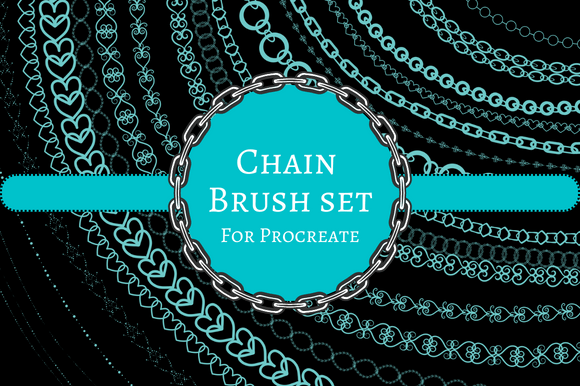
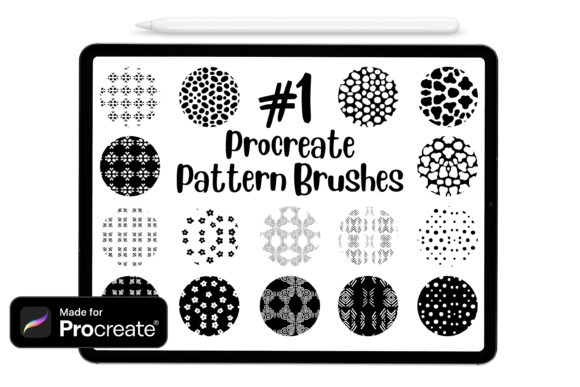
In the rapidly evolving landscape of digital art, efficiency and versatility are paramount. For artists, designers, and hobbyists alike, the tools we choose define not just the quality of our output, but the joy we find in the creative process. Among the most transformative additions to the digital artist’s toolkit is the Procreate Pattern Brush. Specifically, a curated Set of 16 Procreate pattern brushes offers a gateway to creating intricate, lovely designs with unprecedented ease. Whether you are a seasoned professional or a curious beginner, understanding how to leverage these assets can significantly elevate your workflow within the Procreate ecosystem.
The Evolution of Digital Texturing
Traditionally, adding texture or repeating patterns to digital artwork was a labor-intensive process. Artists had to manually paint every leaf, stitch, or geometric shape, or rely on complex layer manipulations that could slow down even the most powerful devices. The introduction of specialized pattern brushes changes this dynamic entirely. By utilizing the native capabilities of Procreate, these brushes automate the repetition while maintaining organic variation, allowing creators to focus on composition and color rather than tedious replication.
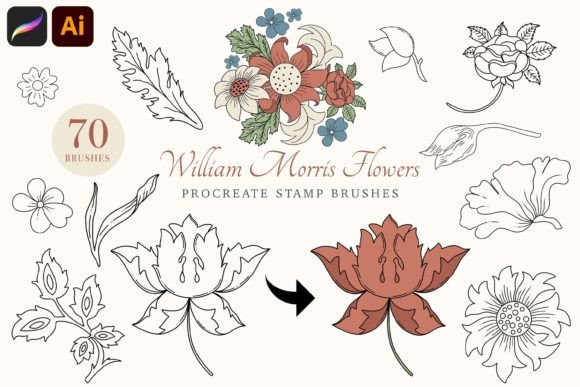
This shift is not merely about saving time; it is about expanding creative possibility. When the technical barrier to creating complex patterns is lowered, artists are more likely to experiment. A Set of 16 Procreate pattern brushes provides a diverse library of textures—from floral motifs to geometric grids—enabling users to mix and match elements to create unique visual languages. This flexibility is crucial for modern design, where uniqueness and brand identity are highly valued.
Accessibility and Hardware Compatibility
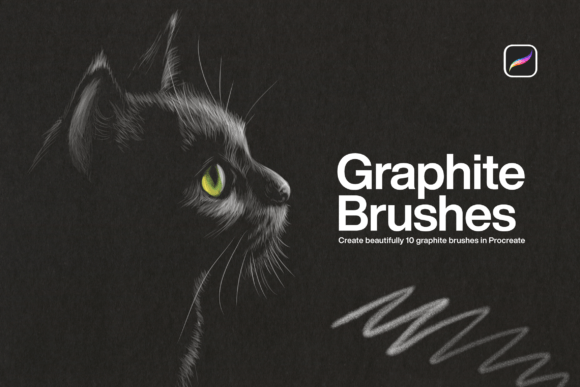
One of the most compelling aspects of these digital tools is their accessibility. There is a common misconception that high-quality digital art requires expensive, specialized hardware. However, Procreate Pattern Brushes are designed to be inclusive. These brushes can be used with a third-party stylus, the industry-standard Apple Pencil, or even your finger. This level of compatibility ensures that creativity is not gatekept by equipment costs.
For those using an Apple Pencil, the pressure sensitivity and tilt recognition add depth to the patterns, allowing for dynamic line weight and shading within the pattern itself. Conversely, using a finger or a basic capacitive stylus still yields excellent results, particularly for graphic, flat-design styles where uniformity is preferred over organic variation. This versatility makes the brushes suitable for a wide range of users, from students sketching on an iPad Mini to professionals working on an iPad Pro.
Customization: The Heart of Creative Control
While pre-made patterns are useful, their true value lies in their adaptability. The ability to change the color, size, and opacity of these Procreate brushes allows for endless customization. This triad of adjustments is fundamental to integrating patterns seamlessly into any artwork.
- Color: Patterns should never feel disjointed from the rest of the piece. By adjusting the hue and saturation, you can ensure that your pattern complements your color palette, creating harmony and visual cohesion.
- Size: Scaling a pattern can completely change its impact. A large-scale floral brush might serve as a bold background element, while the same brush scaled down can act as a subtle texture overlay or a delicate border detail.
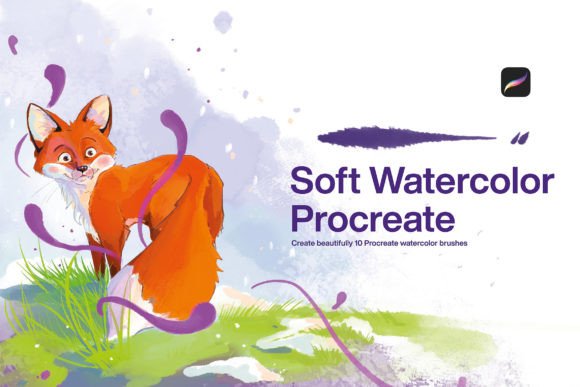
- Opacity: Lowering the opacity allows patterns to blend softly with underlying layers. This is particularly effective for creating watercolor effects, shadows, or atmospheric depth without overpowering the main subject.
These adjustments are not just aesthetic choices; they are functional tools for storytelling. A high-opacity, sharp pattern might convey energy and modernity, while a low-opacity, soft pattern might evoke nostalgia or tranquility. Understanding how to manipulate these variables is key to mastering Procreate.
Technical Requirements and Compatibility
Before diving into creation, it is essential to ensure your software environment is ready. These Procreate brushes are compatible with Procreate version 4.1 and above. This requirement ensures that users have access to the necessary brush engine optimizations and file handling capabilities that make these patterns run smoothly. Keeping your app updated is not just about security; it is about unlocking the full potential of new tools and features developed by the Procreate team.
Users on older versions may experience glitches or inability to import the brushes correctly. Therefore, checking your version number in the settings menu is a prudent first step. This simple check prevents frustration and ensures a seamless integration of the new assets into your existing library.
Practical Application: How to Import and Use
Acquiring new digital assets is exciting, but the immediate question is often, "How do I get them into my app?" The process for importing these brushes is designed to be intuitive, leveraging the native file management system of iOS. Here is a straightforward guide to getting started:
- Download the Files: After purchasing or downloading the Set of 16 Procreate pattern brushes, locate the file in your device’s storage. It will typically be in your "Downloads" folder or the "Files" app.
- Locate the File: Open the Files app and navigate to the location where the brush set was saved.
- Import Action: Go to your files and double tap or right click (if using a trackpad or mouse with your iPad) on your file.
- Automatic Integration: The system will recognize the file type and automatically import it to Procreate. You will see a notification confirming the import.
- Access in App: Open Procreate, create a new canvas, and open the Brush Library. The new set should appear at the top of your brush list or in a dedicated folder, ready for use.
This streamlined process removes technical barriers, allowing artists to move from download to creation in seconds. It reflects the user-centric design philosophy that makes Procreate a favorite among digital creators.
Real-World Scenarios and Use Cases
Who benefits most from these tools? The answer is broad. Business owners creating social media content can use pattern brushes to design eye-catching backgrounds for posts, ensuring brand consistency without hiring a graphic designer for every asset. Professionals in textile design can prototype patterns quickly, testing colorways and scales before moving to production. Creators and influencers can add unique touches to their digital planners, journals, and stickers, distinguishing their products in a crowded market.
Consider a wedding invitation designer. Using a floral pattern brush, they can quickly generate elegant borders for dozens of invitation variants. By adjusting the color to match the couple’s theme and tweaking the opacity for a subtle watermark effect, they can produce high-quality drafts in minutes rather than hours. Similarly, a game developer might use geometric pattern brushes to create tileable textures for environments, speeding up the asset creation pipeline.
Evaluating Suitability for Your Needs
While Procreate Pattern Brushes are powerful, they are not a one-size-fits-all solution. Evaluating their suitability for your specific projects is important. If your work requires hyper-realistic, photo-manipulated textures, these brushes may serve better as base layers rather than final elements. However, for illustration, graphic design, and stylized art, they are invaluable.
It is also worth considering the learning curve. While the brushes are easy to import, mastering their nuances—such as how streamlining affects the pattern’s flow or how pressure sensitivity interacts with the stamp spacing—takes practice. Experimentation is key. Users should dedicate time to playing with the settings, testing different strokes, and observing how the patterns behave under various conditions.
Furthermore, while the Set of 16 Procreate pattern brushes offers variety, no single set can cover every artistic need. Artists should view these brushes as part of a larger toolkit. Combining them with custom hand-drawn elements, photo textures, and other brush types creates a richer, more dynamic final piece. The goal is not to rely solely on automation but to use it as a springboard for further creativity.
Conclusion: Enhancing Your Creative Workflow
In conclusion, integrating Procreate Pattern Brushes into your workflow offers a significant boost in both efficiency and creative potential. The ability to create lovely designs with minimal effort, combined with the flexibility to adjust color, size, and opacity, makes these tools indispensable for modern digital artists. With broad hardware compatibility and a simple import process, they are accessible to everyone from beginners to experts.
By understanding the features, limitations, and best practices associated with these brushes, you can make informed decisions about how to incorporate them into your projects. Whether you are designing for print, web, or personal enjoyment, the Set of 16 Procreate pattern brushes provides a robust foundation for exploring new artistic horizons. Embrace the technology, experiment with the settings, and let these tools enhance your unique creative voice.