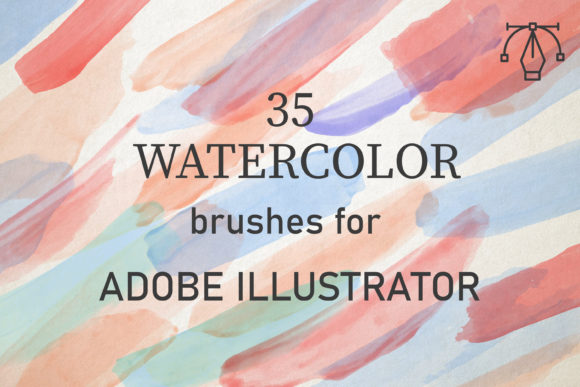
Mastering Organic Textures with 35 Watercolor Brushes for Illustrator
In the realm of digital design, achieving the authentic look of traditional media has long been a challenge. Vector graphics are celebrated for their precision, scalability, and clean lines, but they often lack the spontaneous, fluid imperfections that make hand-painted art so compelling. This is where the 35 Watercolor Brushes for Illustrator bridge the gap between digital efficiency and artistic soul. Designed for creators who value both control and organic beauty, this collection offers a robust solution for integrating the delicate nuances of watercolor painting into vector-based workflows.
Whether you are a seasoned graphic designer, an illustrator looking to expand your toolkit, or a business owner aiming to add a touch of elegance to your brand materials, understanding how to leverage these tools can significantly elevate your creative output. This article explores the features, applications, and practical considerations of using this specific brush set within Adobe Illustrator.
The Fusion of Vector Precision and Painted Texture
Watercolor is a medium defined by its transparency, flow, and unpredictability. Real watercolors are applied by building up layers of washes to create tone and depth. Replicating this digitally requires more than just a static image; it requires dynamic tools that respond to user input. The 35 Watercolor Brushes for Illustrator are created from reality watercolor scans, meaning they perfectly convey the texture of paints rather than relying on simulated algorithms. This attention to detail ensures that every stroke retains the granular, paper-absorbed quality characteristic of high-quality watercolor art.
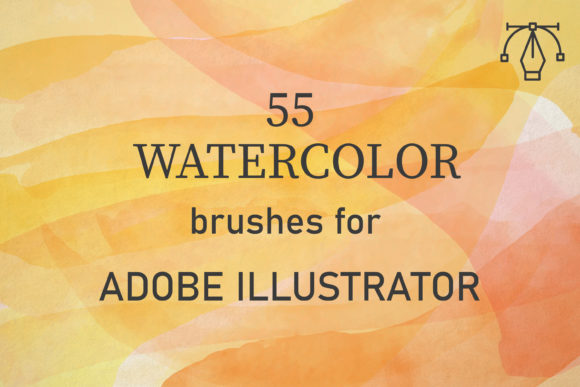
These brushes are compatible with Adobe Illustrator CC and above, ensuring accessibility for most modern users. They function seamlessly on both PC and Mac platforms, removing hardware barriers for collaborative teams or freelancers working across different systems. The pack contains 35 unique vector watercolor brushes, providing a diverse palette of strokes ranging from broad, wet washes to fine, dry-bristle details.
Why Vector Watercolor Matters
Traditional raster-based watercolor brushes (often found in Photoshop) are pixel-dependent. When scaled up, they lose resolution and become blurry. In contrast, these vector-based brushes maintain crisp edges and clarity at any size. This makes them ideal for large-format printing, such as banners, packaging, or wall art, where quality cannot be compromised. By using vector shapes that mimic watercolor textures, designers gain the flexibility to edit colors, reshape paths, and adjust scales without degrading the image quality.
Practical Application: Techniques for Authentic Results
While the brushes are remarkably easy to use, achieving a professional, hand-painted look requires understanding how digital blending differs from physical paint mixing. The key to unlocking the potential of the 35 Watercolor Brushes for Illustrator lies in layering and opacity management.
- Set the Blend Mode: To mimic the transparency of watercolor, select your brush strokes and change the blend mode to Multiply or Darken. This allows underlying colors to show through, creating natural-looking overlaps and deeper tones where strokes intersect.
- Adjust Opacity: Rarely should a watercolor stroke be at 100% opacity. Lowering the opacity allows for the buildup of tone. Start with lighter washes and gradually increase intensity where shadows or focal points are needed.
- Overlap Strokes: Real watercolors bleed into one another. By overlapping multiple strokes with varying opacities, you build up texture and tone organically. This technique avoids the "stamped" look and creates a cohesive, fluid composition.
With their help, you can easily create any watercolor background and use it on many design projects. The process is intuitive: draw, adjust, layer, and refine. The brushes are well-made and full of creative potential, allowing users to enjoy themselves while producing high-quality artwork.
Versatility in Design Projects
The utility of this brush set extends far beyond simple illustrations. Because watercolor evokes feelings of softness, creativity, and authenticity, it is a popular choice for various commercial and personal applications. Here are several scenarios where the 35 Watercolor Brushes for Illustrator prove invaluable:
- Branding and Identity: For businesses in the wellness, beauty, or artisanal food sectors, watercolor elements can soften a brand’s image, making it feel more approachable and organic. Logos, business cards, and packaging designs benefit from the unique texture that distinguishes them from corporate, rigid aesthetics.
- Wedding and Event Stationery: Invitations, save-the-dates, and menu cards often feature floral or abstract watercolor backgrounds. These brushes allow designers to create custom, scalable backgrounds that print beautifully on high-quality paper stocks.
- Digital Content and Social Media: In a feed dominated by sharp, high-contrast images, watercolor graphics stand out. They can be used as overlays for quotes, background elements for posts, or decorative accents in video thumbnails.
- Fashion and Textile Design: Designers can create repeating patterns or unique prints for fabrics. The vector nature of the brushes ensures that the patterns remain sharp regardless of the fabric size or print resolution.
Evaluating Suitability: Is This Pack Right for You?
Before integrating any new tool into your workflow, it is essential to assess whether it aligns with your specific needs. The 35 Watercolor Brushes for Illustrator are particularly suited for designers who:
- Prefer working within the Illustrator ecosystem rather than switching between Photoshop and Illustrator.
- Require scalable assets for print and digital media.
- Value time efficiency and want to avoid scanning and cleaning up traditional paintings.
- Seek a balance between control (vector paths) and organic texture (watercolor appearance).
However, it is important to note limitations. While these brushes excel at simulating the look of watercolor, they do not replicate the physical behavior of wet-on-wet bleeding in real-time as some specialized raster software might. The "bleed" effect is achieved manually through layering and blend modes. For designers accustomed to the immediate fluidity of physical paint, there may be a slight learning curve in mastering the digital layering technique. Yet, once mastered, this method offers greater reproducibility and editability.
What’s Included in the Package
Transparency and ease of installation are crucial for digital assets. This pack is delivered as a total of 1 zipped file, containing a single AI set file. Inside, you will find AI files which include one set of 35 brushes. This streamlined structure ensures that installation is straightforward:
- Download and unzip the file.
- Open Adobe Illustrator.
- Navigate to the Brushes panel.
- Load the included AI set file.
- Begin creating immediately.
The simplicity of the file structure means there are no complex folders or obscure formats to navigate. Everything is contained within the standard Adobe Illustrator format, ensuring compatibility and ease of use.
Maximizing Creative Potential
To get the most out of the 35 Watercolor Brushes for Illustrator, experiment with color palettes. Watercolor looks most authentic when colors are harmonious and slightly muted. Avoid overly saturated, neon colors unless specifically aiming for a modern, pop-art aesthetic. Additionally, consider combining these brushes with other vector elements, such as typography or geometric shapes, to create contrast. The softness of the watercolor can beautifully offset the rigidity of sans-serif fonts or sharp icons.
Furthermore, do not limit yourself to traditional "painting" subjects. Use these brushes for abstract backgrounds, map illustrations, or even data visualization infographics to add a human touch to statistical information. The versatility of the 35 unique styles allows for a wide range of expressions, from delicate florals to bold, expressive splashes.
Conclusion
The 35 Watercolor Brushes for Illustrator represent a powerful tool for modern designers seeking to infuse their work with organic warmth and artistic texture. By combining the scalability and precision of vector graphics with the authentic look of real watercolor, this pack offers a unique advantage in a competitive design landscape. Whether you are creating branding materials, wedding invitations, or digital art, these brushes provide the flexibility and quality needed to bring your vision to life.
Remember, the key to success lies in experimentation. Play with opacity, explore blend modes, and layer your strokes to build depth. With practice, you will find that these brushes are not just tools, but partners in your creative process, enabling you to produce work that is both visually stunning and technically robust. Embrace the fluidity, enjoy the process, and let the texture of real watercolor enhance your digital designs.