Evaluating the Procreate Glitter Shimmer Brushes Set for Digital Artists
Digital illustration has evolved significantly with the advent of powerful tablet applications, allowing artists to replicate traditional media textures with unprecedented precision. Among the most sought-after effects in digital art is the realistic depiction of sparkle and shimmer. The Procreate Glitter Shimmer Brushes Set addresses this specific need by providing a curated collection of thirty distinct brush presets designed exclusively for the Procreate application on iPad. For artists looking to enhance their workflow with high-quality texture effects, understanding the capabilities, limitations, and ideal use cases of this toolset is essential before making a purchase decision.
Understanding the Toolset
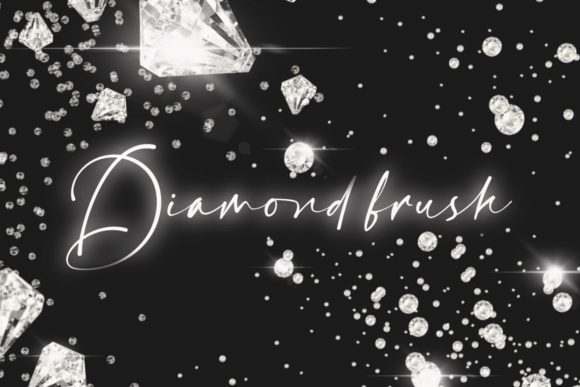
The core offering consists of a single zip file containing thirty unique glitter brushes. These are not static stamps but dynamic, pressure-sensitive tools that interact with the Apple Pencil’s input data. This means that the intensity, size, and distribution of the glitter particles change based on how hard or lightly the user presses against the screen. A defining feature of this set is its color agnosticism. Unlike some texture brushes that are locked to a specific hue, these brushes allow users to select any color within the Procreate palette. The brush engine then applies the shimmer effect using that chosen color, providing immense flexibility for diverse artistic projects.
It is crucial to note the technical constraints immediately. These assets are digital brushes formatted specifically for Procreate. They will not function in other digital art software such as Adobe Photoshop, Clip Studio Paint, or Affinity Designer. Furthermore, they require an iPad equipped with Apple Pencil support. Users without this specific hardware and software combination will be unable to utilize the product, making compatibility the first checkpoint in the evaluation process.
Key Benefits and Artistic Applications
The primary advantage of using a dedicated shimmer brush set lies in efficiency and realism. Creating convincing glitter effects from scratch using standard round brushes requires significant time and technical skill, often involving complex layering, blending modes, and manual particle placement. The Procreate Glitter Shimmer Brushes Set streamlines this process, allowing artists to achieve professional-grade results with single strokes.
Beauty and Makeup Illustration
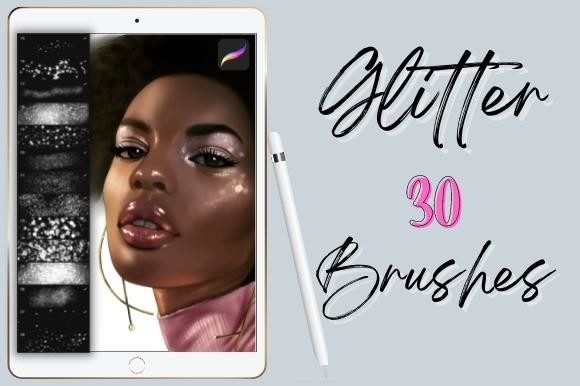
One of the strongest use cases for these brushes is in the realm of beauty illustration. Digital makeup artists frequently need to depict eyeshadows, highlighters, and lip glosses with a realistic reflective quality. The pressure sensitivity allows for subtle builds of shimmer, mimicking how light interacts with cosmetic products on skin. By selecting soft pastels or metallic tones, illustrators can create lifelike renderings of glitter eyeshadow or dewy skin highlights without leaving the Procreate environment.
Backgrounds and Environmental Textures
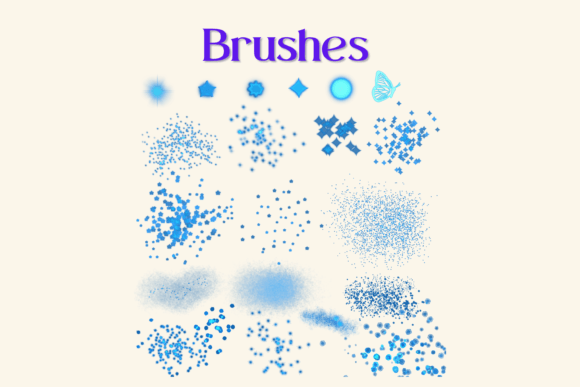
Beyond character design, these brushes are highly effective for creating atmospheric backgrounds. Whether illustrating a starry night sky, magical sparkles in a fantasy scene, or bokeh light effects in a portrait, the variety within the thirty-brush set offers different densities and particle sizes. This versatility helps prevent repetitive patterns, ensuring that backgrounds remain visually engaging and organic.
General Embellishment
For graphic designers and hobbyists, adding sparkle to lettering, logos, or greeting cards can elevate the visual appeal of a project. The ability to instantly apply a shimmer effect to any vector shape or hand-drawn letterform saves considerable editing time. This makes the set a practical addition for those who regularly produce content requiring festive or luxurious aesthetic elements.
Considerations and Tradeoffs
While the convenience of pre-made brushes is undeniable, there are tradeoffs to consider. Relying heavily on specialized texture brushes can sometimes hinder the development of fundamental rendering skills. Artists who depend entirely on these tools may find themselves limited when working in software that does not support similar custom brushes. Therefore, it is advisable to view this set as a workflow enhancer rather than a replacement for understanding light, reflection, and texture fundamentals.
Another consideration is the potential for overuse. Because the effect is easy to apply, there is a risk of cluttering compositions with excessive sparkle, which can distract from the focal point of an artwork. Successful integration requires restraint and a good eye for composition. Additionally, since the brushes are digital-only, there is no physical counterpart. Users accustomed to traditional media may need time to adjust to the digital interpretation of glitter, which relies on screen brightness and resolution to convey the illusion of shine.
Who Is This Set Best Suited For?
This toolset is an excellent fit for several specific profiles:
- Procreate Users: Obviously, this is the primary audience. If you already invest time in Procreate, these brushes integrate seamlessly into your existing library.
- Beauty Illustrators: Professionals or students focusing on cosmetic design will find the pressure-sensitive shimmer invaluable for realistic product rendering.
- Fantasy and Concept Artists: Those who frequently draw magical elements, fairies, or celestial scenes will benefit from the quick access to varied sparkle textures.
- Digital Hobbyists: Casual artists who want to add polish to their journaling, stickers, or social media graphics without spending hours on manual detailing.
When to Consider Alternatives
There are scenarios where this specific set may not be the optimal choice. If you work primarily in desktop-based software like Photoshop or Corel Painter, you should look for brush sets compatible with those platforms. While some cross-platform options exist, this particular zip file is locked to the Procreate ecosystem.
Additionally, if you are seeking highly specific, non-standard glitter shapes (such as geometric shards or custom icons), a general shimmer set might not offer enough customization. In such cases, creating custom brush shapes from scratch or purchasing niche specialty brushes might be more appropriate. Finally, artists on a strict budget might consider utilizing Procreate’s built-in brush engine to create basic shimmer effects manually, though this requires a steeper learning curve and more time investment.
Making the Decision
Deciding whether to acquire the Procreate Glitter Shimmer Brushes Set comes down to evaluating your current workflow and artistic goals. If you frequently find yourself struggling to replicate realistic sparkle effects or if you spend excessive time manually painting highlights, this set offers a efficient solution. The inclusion of thirty variations ensures that you have options for different scales and intensities, reducing the monotony of repeated textures.
However, ensure that your hardware supports the requirements. Verify that you are using an iPad with Apple Pencil capability and the latest version of Procreate to avoid compatibility issues. Remember that these are digital tools meant to augment your creativity, not replace it. The best results come from combining these brushes with strong foundational drawing skills and thoughtful composition.
In conclusion, for Procreate users seeking to enhance their digital illustrations with high-quality, versatile, and easy-to-use glitter effects, this brush set represents a valuable resource. It balances ease of use with artistic control, making it a worthy consideration for both professional illustrators and enthusiastic hobbyists looking to add a touch of brilliance to their digital canvas.