Strategic Sketching: Leveraging Pencils Procreate Brushes for Professional Digital Artistry
In the evolving landscape of digital content creation, the tools we select are not merely utilities; they are extensions of our strategic intent. For professionals, educators, and creators operating within the Apple iPad ecosystem, the choice of brush engine can significantly influence workflow efficiency, brand consistency, and the ultimate quality of visual communication. Pencils Procreate Brushes represent a curated solution designed to bridge the gap between traditional tactile sketching and modern digital precision. This collection is not simply a bundle of assets; it is a structured toolkit that enables users to execute complex visual narratives with greater speed and authenticity.
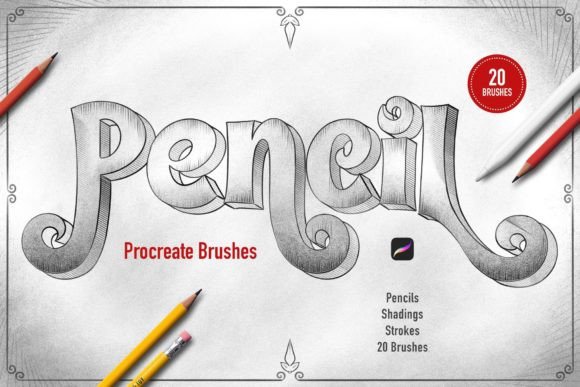
The decision to integrate specialized brush sets into your creative operations should be driven by a clear understanding of your output goals. Whether you are developing storyboards for client presentations, creating educational diagrams, or refining concept art for product design, the reliability of your tools matters. The Pencils Procreate Brushes set offers twenty distinct instruments, each engineered to replicate the nuanced behavior of physical graphite. By understanding how to deploy these resources intentionally, you can elevate your digital workflow from experimental play to professional production.
The Strategic Value of Authentic Texture in Digital Workflows
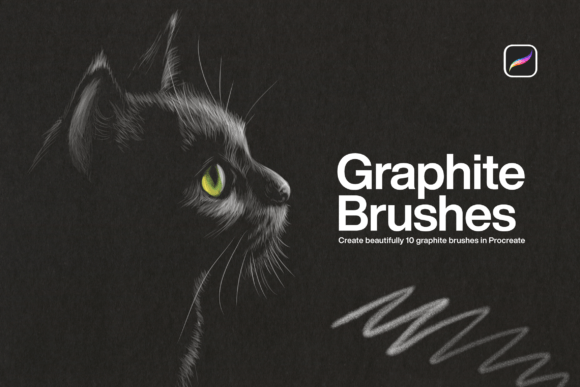
Digital art often suffers from a perceived lack of warmth or organic imperfection. This "sterile" aesthetic can be a barrier when trying to connect with audiences who value handcrafted authenticity. Here, the strategic application of Pencils Procreate Brushes becomes evident. The collection includes four primary pencil brushes, three line shading brushes, four graphite shade brushes, and nine specific pencil stroke variations. This diversity allows for a layered approach to drawing that mimics the physical accumulation of graphite on paper.
Consider the implications for branding and communication. A sketch that retains the subtle grain and pressure-sensitive variation of a real pencil feels more approachable and human. For entrepreneurs and marketers, this can translate into higher engagement rates for social media content or more persuasive pitch decks. The ability to sketch, outline, and shade with a single brush—while having nineteen others available for specific textural needs—reduces friction in the creative process. It allows the creator to stay in a state of flow, focusing on the message rather than fighting the medium.
Furthermore, the pressure and tilt sensitivity embedded in these brushes are not just technical features; they are facilitators of expressive control. When you tilt the stylus, the brush responds with a broader, softer stroke, akin to shading with the side of a pencil lead. When you press harder, the line darkens and sharpens. This dynamic range supports rapid ideation, allowing professionals to move quickly from rough concepts to refined outlines without switching tools constantly. The result is a more efficient operation where time saved on tool selection is reinvested in strategic thinking and refinement.
Optimizing Productivity Through Tool Specialization
A common misconception among digital artists is that having fewer tools leads to greater mastery. While simplicity has its place, strategic specialization often yields better results in professional environments. The Pencils Procreate Brushes set is structured to save time by providing pre-configured solutions for specific tasks. Instead of spending hours customizing a single brush to achieve a perfect graphite look, you have immediate access to four dedicated graphite shade brushes. This pre-optimization is crucial for freelancers and small business owners who operate under tight deadlines.
Let us examine the practical application of the nine pencil stroke variations. These are not redundant; they offer different textures that can be used to convey depth, distance, or material quality. For an educator creating visual aids, using a harder pencil stroke for text and a softer, textured stroke for diagrams can improve clarity and retention for students. For a product designer, varying the stroke weight can help distinguish between foreground elements and background context in a prototype sketch. This level of control supports clearer communication, which is the ultimate goal of any professional visual asset.
Moreover, the ease of customization inherent in Procreate means these brushes serve as a starting point, not a limitation. Experienced users can tweak the settings to fit their unique hand pressure or stylistic preferences. However, the out-of-the-box functionality is designed to be robust enough for immediate use. This balance between ready-to-use efficiency and customizable depth ensures that the tool adapts to your workflow, rather than forcing you to adapt to the tool.
Implementation and Technical Considerations
Before integrating Pencils Procreate Brushes into your daily routine, it is essential to understand the technical constraints and installation process. These brushes are compatible ONLY with the Procreate application on Apple iPad. They will not function in Adobe Photoshop, Clip Studio Paint, or any other graphic editing software. This limitation requires a strategic commitment to the iPad ecosystem. If your workflow relies heavily on desktop-based software, you must account for the friction of transferring files or reconsider your toolchain. However, for those fully invested in mobile-first or tablet-centric creation, this integration is seamless.
The installation process is straightforward, designed to minimize downtime:
- Download the file directly onto your iPad.
- Locate the file named Pencils_ by_Sko4 .brushset.
- Tap the file. Procreate will automatically launch and install the entire set.
- The brushes will appear at the top of your brush list, ready for immediate use.
This simplicity reduces the barrier to entry, allowing you to test the tools in real-time projects quickly. However, strategic adoption goes beyond installation. It requires a period of experimentation to map each of the twenty brushes to specific tasks in your workflow. We recommend dedicating time to create a "swatch library" where you test each brush’s response to varying pressure and tilt angles. This reference guide will accelerate your decision-making during actual projects, ensuring you select the right tool for the right job without hesitation.
Risks of Unintentional Use and How to Avoid Them
While high-quality tools like Pencils Procreate Brushes enhance capability, they do not guarantee quality outcomes. A significant risk for many creators is the "shiny object syndrome," where new tools are adopted without a clear strategic purpose. Using these brushes randomly, without considering the tonal values or structural integrity of the drawing, can lead to inconsistent and unprofessional results. The texture of graphite is powerful, but if applied without intention, it can clutter the visual hierarchy and obscure the core message.
To mitigate this, approach your use of these brushes with a planning mindset. Define the objective of each piece before you begin. Are you aiming for a loose, conceptual feel? Or a tight, rendered illustration? Select your subset of brushes accordingly. For conceptual work, lean on the softer pencil strokes and graphite shades to build atmosphere quickly. For precise outlining, utilize the harder pencil brushes to maintain clean lines. By aligning your tool selection with your strategic intent, you ensure that the technology serves the vision, not the other way around.
Additionally, be mindful of over-reliance on texture. The novelty of realistic pencil grains can tempt creators to over-texture their work, resulting in visual noise. Effective design often requires restraint. Use the shading brushes to define form and volume, but keep background elements simpler to maintain focus. This disciplined approach ensures that your use of Pencils Procreate Brushes enhances readability and impact, rather than detracting from it.
Long-Term Value and Creative Sustainability
Investing in a versatile brush set like Pencils Procreate Brushes contributes to long-term creative sustainability. By reducing the cognitive load associated with tool selection and customization, you preserve mental energy for higher-level creative problems. Over time, the familiarity with these twenty specific brushes builds muscle memory, allowing for faster execution and more confident mark-making. This proficiency translates into a competitive advantage, whether you are delivering client work on time or producing consistent content for your brand.
Ultimately, the value of these brushes lies in their ability to facilitate a natural, intuitive drawing experience on a digital platform. They remove the technological barrier between thought and expression, allowing professionals to focus on strategy, storytelling, and connection. By choosing tools that align with your goals and mastering their intentional use, you position yourself for greater efficiency, higher quality output, and more meaningful creative results.