Mastering Retro Aesthetics: A Practical Guide to Comics Halftone Procreate Brushes
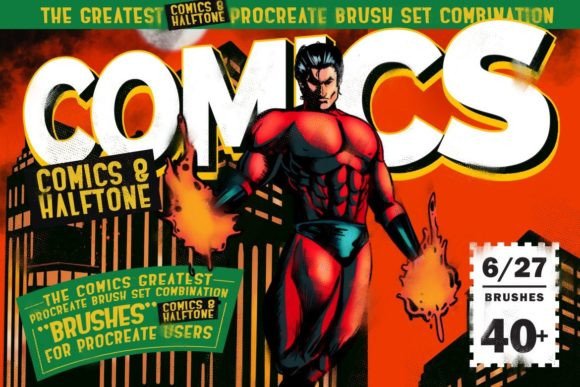
The resurgence of mid-century print aesthetics in digital art has created a specific demand for tools that can authentically replicate the mechanical limitations of older printing processes. Among these, halftone patterns—those distinctive dots used to create shading and tone in newspapers and comic books—are perhaps the most iconic. For digital artists working on iPads, finding a solution that balances authenticity with workflow efficiency is crucial. This is where specialized Comics Halftone Procreate Brushes come into play, offering a bridge between traditional print textures and modern digital flexibility.
This article explores the utility, application, and strategic value of using a dedicated set of 48 authentic comic halftone brushes alongside included paper textures. We will examine how these tools compare to manual methods, discuss their ideal use cases, and help you determine if this specific resource fits your creative workflow.
Understanding the Value of Authentic Halftone Simulation
Halftoning is not merely a filter; it is a structural element of retro graphic design. In traditional printing, continuous tones (like photographs or smooth gradients) were broken down into varying sizes or spacings of dots to simulate shades of gray or color using only black ink or limited color plates. Replicating this digitally often presents a challenge. Standard blur tools or generic noise filters rarely capture the rigid, geometric precision of true halftones.
The Comics Halftone Procreate Brushes set addresses this by providing pre-engineered stamp and shape brushes that mimic these patterns instantly. With 48 distinct brushes, the set allows for variation in dot size, density, and arrangement. This variety is essential because real-world halftones varied significantly depending on the quality of the paper, the age of the printing press, and the intended visual effect. Having access to multiple variations prevents your digital art from looking too "perfect" or sterile, adding the organic imperfection that characterizes genuine vintage comics.
Beyond Simple Dot Patterns
While the primary function is creating halftone shading, the utility of these brushes extends into broader textural work. The inclusion of 10 comics paper textures complements the brushes by providing a foundational layer that mimics the absorbent, slightly rough surface of newsprint or comic book paper. When combined, the brushes and textures create a cohesive visual language. The dots sit naturally on the "paper," interacting with the grain rather than floating above it, which is a common issue when layering digital effects without proper blending considerations.
Comparing Dedicated Brushes to Manual and Filter-Based Alternatives
When evaluating whether to invest in a specialized brush set like this, it is helpful to compare it against other common methods artists use to achieve similar results. Understanding these tradeoffs can clarify where this tool fits in your toolkit.
- Manual Drawing: An artist can manually draw thousands of dots to create shading. While this offers ultimate control, it is prohibitively time-consuming for most commercial or personal projects. Dedicated brushes reduce hours of work to seconds, allowing for rapid iteration.
- Generic Noise Filters: Many image editing apps offer noise or grain filters. However, these typically produce random static rather than the structured, grid-based patterns of halftones. They lack the stylistic specificity required for authentic comic book aesthetics.
- Vector Halftone Generators: Some desktop software can generate vector halftones. While precise, these often require exporting files back and forth between programs. Working directly within Procreate using native brushes maintains a seamless, non-destructive workflow on the iPad.
The distinct advantage of the Comics Halftone Procreate Brushes is the balance between speed and authenticity. They are not just random stamps; they are designed to respond to pressure and tilt (where applicable), allowing for dynamic shading that changes as you draw. This interactivity is something static filters cannot offer.
Practical Applications and Use Cases
Versatility is a key metric when evaluating digital assets. This set is marketed for various styles, from children’s illustrations to gritty noir comics. Let us break down where these tools perform best and where they might require additional adjustment.
Retro and Pop Art Illustrations
For artists aiming to recreate the look of 1950s and 60s pop art, consistent halftone patterns are non-negotiable. The brushes allow for quick blocking-in of shadows and mid-tones. By selecting a brush with larger dots, you can emulate the coarse printing of cheap pulp magazines. For a cleaner, more modern retro look, smaller, tighter dot patterns are available within the 48-brush selection. The ability to adjust stroke width and color means you can apply halftones in any hue, not just black, enabling vibrant, multi-colored pop art compositions.
Comic Book Shading and Texturing
In sequential art, consistency across panels is vital. Using a standardized set of halftone brushes ensures that your shading language remains uniform throughout a story. Whether you are drawing action sequences or quiet dialogue scenes, the textures provide a quick way to add depth without resorting to complex gradient meshes. The included paper textures can be used as background layers for entire pages, unifying the visual tone of the comic.
Mixed Media and Collage Styles
Modern digital illustration often blends photographic elements with hand-drawn lines. Halftone brushes serve as an excellent transitional element, helping to integrate photos into a drawn environment. By applying a halftone overlay to a photo element, you can reduce its realism and make it feel part of the illustrated world. This technique is popular in editorial illustration and album cover design.
Technical Considerations and Limitations
Before purchasing or downloading any digital asset, it is critical to understand its technical constraints. This set comes with specific requirements that may affect your decision.
Platform Exclusivity: These brushes are designed only for Procreate on iPad. They do not work in Adobe Photoshop, Illustrator, Clip Studio Paint, or desktop-based applications. If your primary workflow involves desktop software, this resource will not be useful to you. Furthermore, they are optimized for use with the Apple Pencil or compatible styluses. While finger painting is possible in Procreate, the precision required for effective halftone placement makes a stylus nearly essential.
File Formats: The download includes a .brushset file for easy installation into Procreate and a .psd file for the textures. The PSD format for textures is standard and can technically be opened in other software, but the brushes themselves are proprietary to Procreate. This limits cross-platform portability.
Learning Curve: While the brushes are easy to install—simply click the file on your iPad to import—they require some experimentation to master. Achieving the perfect look involves adjusting opacity, flow, and layer blending modes (such as Multiply or Overlay). Users expecting a "one-click" solution may need to spend time tweaking settings to match their specific artistic vision.
Installation and Workflow Integration
Integrating new tools into an existing workflow should be seamless. The process for this set is straightforward, reflecting Procreate’s user-friendly ecosystem.
- Download and Unzip: After acquiring the
.zipfile, extract it on your iPad or a connected computer. - Import Brushes: Locate the
ComicsHalftone_Procreate_Brushes.brushsetfile. Tapping this file on your iPad will automatically open Procreate and import the 48 brushes into your library. - Import Textures: The
The Comics – Textures.psdfile can be imported as a reference or dragged directly into your canvas as a new layer. - Customization: Once installed, you can organize the brushes into a dedicated folder within Procreate for easy access during projects.
This ease of installation lowers the barrier to entry, allowing artists to start experimenting immediately without complex setup procedures.
Making the Decision: Is This Set Right for You?
Choosing the right digital tools depends on your specific needs, style, and workflow. Here is a summary to help you evaluate if Comics Halftone Procreate Brushes are a good fit.
Choose this set if:
- You primarily work in Procreate on an iPad.
- You frequently create art in retro, comic, pop art, or vintage styles.
- You value speed and efficiency over manual, pixel-by-pixel control.
- You want an all-in-one solution that includes both shading brushes and paper textures.
Consider alternatives if:
- You work mainly in desktop software like Photoshop or Clip Studio Paint.
- You prefer fully vector-based workflows for infinite scalability.
- You enjoy the meditative process of manually creating textures and do not mind the time investment.
- You need highly customizable, algorithmic halftone generation that changes dynamically with image brightness (which may require plugins or scripts rather than static brushes).
In conclusion, the Comics Halftone Procreate Brushes set offers a robust, specialized solution for digital artists seeking authentic retro aesthetics. By combining 48 varied halftone patterns with 10 complementary paper textures, it provides a comprehensive toolkit for achieving a distinct vintage look. While it is limited to the Procreate ecosystem, its ease of use and high-quality output make it a valuable resource for illustrators, comic artists, and designers looking to streamline their workflow without sacrificing stylistic integrity.